
Create an account to gain options, such as, saving favorites, save your cart to check out later, add multiple orders to save on shipping and receive discount and special notices.
Registration is for one student only.
If you've multiple children enrolled and would like them registered, separate transactions are needed for each. If needed, click on the picture to enlarge.
How to Register
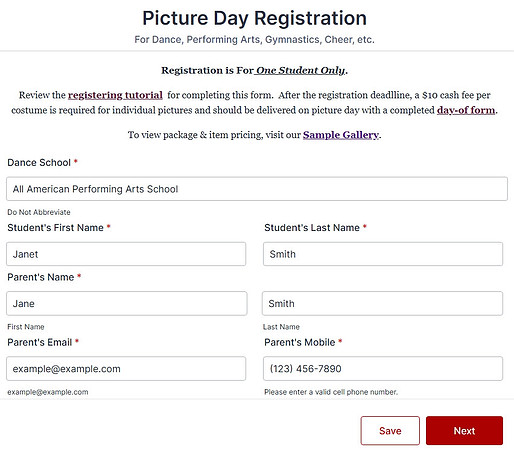
1. Complete the information page using the primary parents name and contact information. Do not abbreviate.
To ensure you receive our notifications, enter active email and cell phone numbers and add our contact info to your address book. Select Next.

If at any point in this section there are missing classes, dance styles, etc contact us and we'll correct.
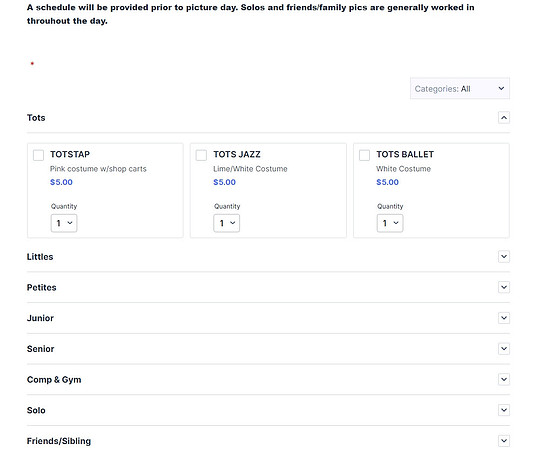
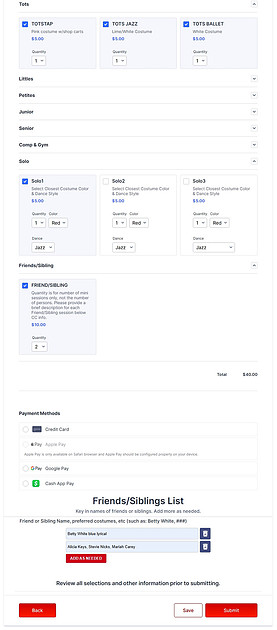
2.Locate the section titled with your student’s group or class. For this example we're using TOTS.
Use the arrow to expand the list and review the options & description. Tick the boxes for each dance style you want to register.
Note: Solos are separate from group or class listings. They are intended for performances or dance featuring only one individual.
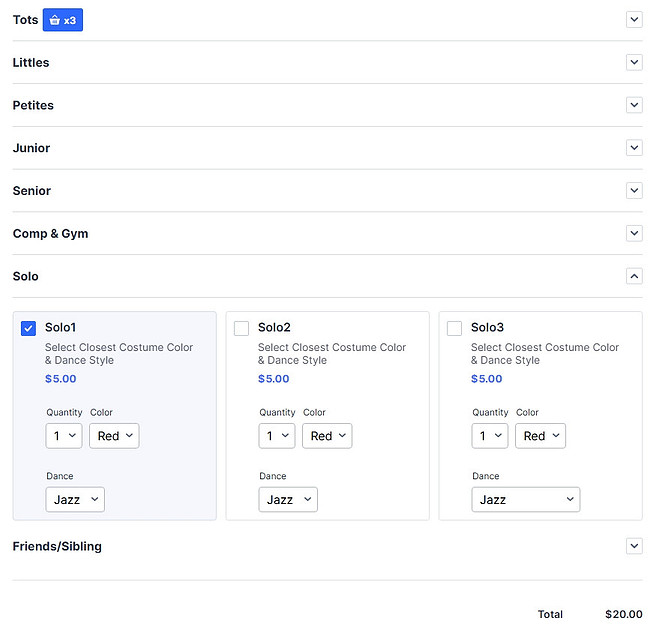
3. If you’d like photos of your student in solo costumes, click the arrow to expand the section and reveal options.
Select a solo box for each costume to register, indicating the closest or main costume color and dance style for each solo.
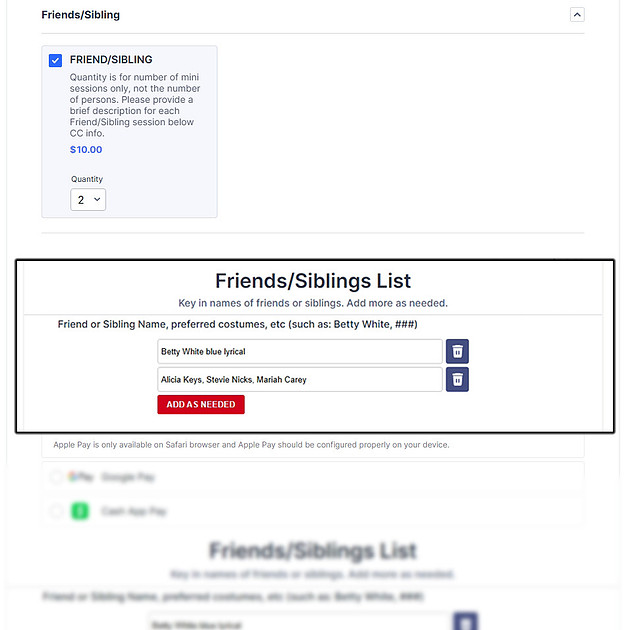
4. When registering for friends/sibling pictures, registration is for your dancer and one or up to 3 of their friends or family members photographed at the same time.
Example with Quantity of 2 Friend/Sibling:
First is for your dancer with Betty White in blue lyrical costume.
Second is your dancer with Alicia Keys, Stevie Nicks & Mariah Carey.
5. Review your selections, quantities and total cost. If correct, enter your payment information and select submit.
You will receive a detailed email confirmation of your purchase.
Thank you! Your done until picture day!